README
Link Tool
Link Block for the Editor.js.
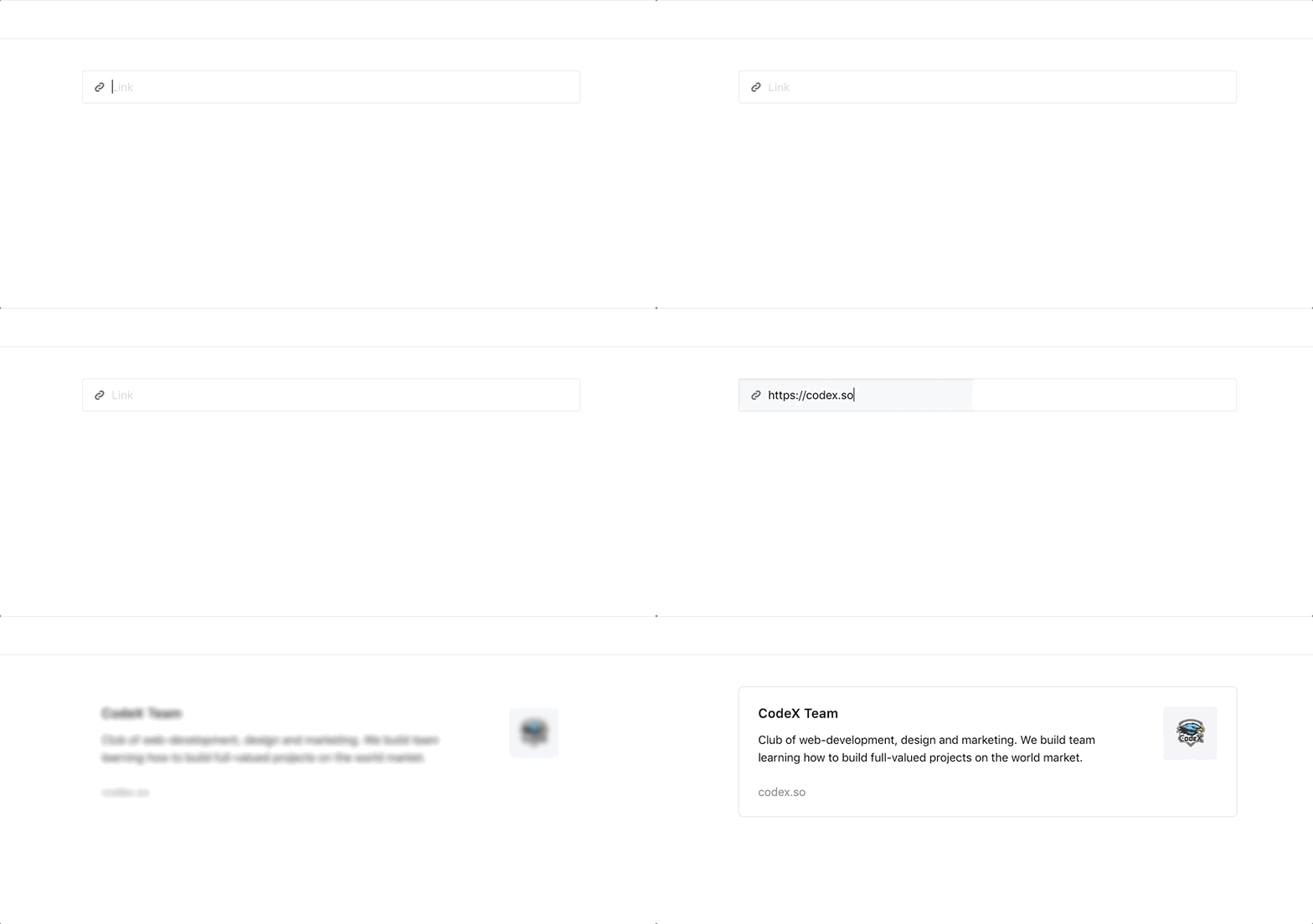
Features
Allows to add link previews to your articles.
Note: this Tool requires server-side implementation for link data fetching. See backend response format for more details.
Installation
Install via NPM
Get the package
npm i --save-dev @editorjs/link
Include module at your application
const LinkTool = require('@editorjs/link');
Download to your project's source dir
- Download folder
distfrom repository - Add
dist/bundle.jsfile to your page.
Load from CDN
You can load specific version of package from jsDelivr CDN.
https://cdn.jsdelivr.net/npm/@editorjs/link@2.0.0
Then require this script on page with Editor.js through the <script src=""></script> tag.
Usage
Add a new Tool to the tools property of the Editor.js initial config.
var editor = EditorJS({
  ...

  tools: {
    ...
    linkTool: {
      class: LinkTool,
      config: {
        endpoint: 'http://localhost:8008/fetchUrl', // Your backend endpoint for url data fetching
      }
    }
  }

  ...
});
Config Params
Link Tool supports these configuration parameters:
| Field | Type | Description |
|---|---|---|
| endpoint | string |
Endpoint for link data fetching. |
| fetcher | {{fetchLinkDataForUrl: function}} |
Optional custom fetch function. See details below. |
Note that if you don't implement your custom fetch method, the endpoint parameter is required.
Output data
This Tool returns data with following format
| Field | Type | Description |
|---|---|---|
| link | string |
Pasted link url |
| meta | object |
Fetched link data. Any data got from backend. Currently title, image and description are supported by plugin's design. |
{
    "type" : "linkTool",
    "data" : {
        "link" : "https://codex.so",
        "meta" : {
            "title" : "CodeX Team",
            "site_name" : "CodeX",
            "description" : "Club of web-development, design and marketing. We build team learning how to build full-valued projects on the world market.",
            "image" : {
                "url" : "https://codex.so/public/app/img/meta_img.png"
            }
        }
    }
}
Backend response format
You can implement backend for link data fetching your own way. It is a specific and trivial task depending on your environment and stack.
Backend response should cover following format:
{
    "success" : 1,
    "meta": {
        // ... any fields you want
    }
}
success — uploading status. 1 for successful, 0 for failed
meta — link fetched data.
Currently title, image and description fields are supported by plugin's design . They should have the following format in the response:
{
    "success" : 1,
    "meta": {
        "title" : "CodeX Team",
        "description" : "Club of web-development, design and marketing. We build team learning how to build full-valued projects on the world market.",
        "image" : {
            "url" : "https://codex.so/public/app/img/meta_img.png"
        }
    }
}
Also, can contain any additional fields you want to store.
Providing custom fetch method
You have the option to provide your own custom fetch method. Use the fetcher config parameter with an object with a fetchLinkDataForUrl method that takes the url as a parameter and returns a Promise that resolves with response in the format described above.