README

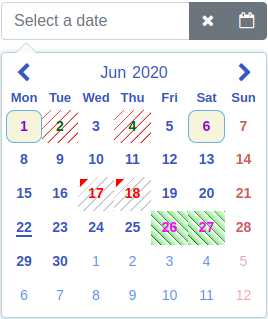
Screenshots using predefined styles and the markDates option. The predefined styles and some of the options can be tested here.
Angular datepicker and date range picker





Browser support (tested)
| Chrome | Firefox | Edge | IE11 | Safari | iOS Safari |
|---|---|---|---|---|---|
| :heavy_check_mark: | :heavy_check_mark: | :heavy_check_mark: | :heavy_check_mark: | :heavy_check_mark: | :heavy_check_mark: |
Description
Highly configurable Angular datepicker and date range picker.
Basic idea to create this library was to make it as configurable as possible. The library is implemented as a directive. It is done this way, because then there is more choices to configure it.
Online demo is here
Main features
- no dependencies to other libraries
- currently localized to 47 languages
- datepicker
- date range picker
- popup mode
- inline mode
- supports keyboard
- supports RTL
- animation of calendar (open/close)
- awesome configuration possibilities
- easily set styles to the component which are in line with your page theme
- calendar (example)
- input box and input box controls (bootstrap 4 and font-awesome example)
- 50 options
- change value of any option dynamically
- easily set styles to the component which are in line with your page theme
- well tested
- coverage report
- most of the codes are from the existing libraries which are widely used
Project
This project was generated with Angular CLI version 7.3.8.
Source code of the component is in the projects/angular-mydatepicker/src folder.
Code examples
Code examples are here.
Installation
To install this component to an external project, follow the procedure:
npm install angular-mydatepicker --save
Add AngularMyDatePickerModule import to your @NgModule as follows:
import { BrowserModule } from "@angular/platform-browser";
import { NgModule } from "@angular/core";
import { FormsModule, ReactiveFormsModule } from "@angular/forms";
import { AngularMyDatePickerModule } from "angular-mydatepicker";

@NgModule({
  declarations: [AppComponent],
  imports: [
    BrowserModule,
    ReactiveFormsModule,
    FormsModule,
    AngularMyDatePickerModule,
  ],
  providers: [],
  bootstrap: [AppComponent],
})
export class AppModule {}
Usage
Use one of the following two options.
1. ngModel binding
In this option the ngModel binding is used.
Examples:
There are two ways to initialize date or date range to the model.
Examples:
2. Reactive forms
In this option the value accessor of reactive forms is used.
Examples:
Attributes
options attribute
The options attribute is a type of IAngularMyDpOptions. It has the following optional properties.
| Option | Default | Type | Description |
|---|---|---|---|
| dateRange | false | boolean | Date picker mode (date picker or date range picker). |
| inline | false | boolean | Normal mode or inline mode. If inline mode is used, set the input box type attribute to hidden and this option to true. Here is an example. |
| dayLabels | {su: 'Sun', mo: 'Mon', tu: 'Tue', we: 'Wed', th: 'Thu', fr: 'Fri', sa: 'Sat'} | IMyDayLabels | Day labels visible on the selector. |
| monthLabels | { 1: 'Jan', 2: 'Feb', 3: 'Mar', 4: 'Apr', 5: 'May', 6: 'Jun', 7: 'Jul', 8: 'Aug', 9: 'Sep', 10: 'Oct', 11: 'Nov', 12: 'Dec' } | IMyMonthLabels | Month labels visible on the selector. |
| dateFormat | yyyy-mm-dd | string | Date format on the selection area and the callback. For example: d.m.yyyy, dd.mm.yyyy, yyyy-m-d, yyyy-mm-dd, d mmm yyyy, dd mmm yyyy (d = Day not leading zero, dd = Day with leading zero, m = Month not leading zero, mm = Month with leading zero, mmm = Month as a text, yyyy = Year four digit) |
| defaultView | date | DefaultView | Calendar opens to this view (date, month or year). |
| firstDayOfWeek | mo | string | First day of week on calendar. One of the following: mo, tu, we, th, fr, sa, su |
| sunHighlight | true | boolean | Sunday red colored on calendar. |
| satHighlight | false | boolean | Saturday red colored on calendar. |
| highlightDates | no default value | Array<IMyDate> | Dates red colored on calendar. Value of year or month can be zero. If it is zero it affects all years/months. For example: [{year: 2019, month: 11, day: 14}, {year: 2019, month: 1, day: 15}] |
| markCurrentDay | true | boolean | Is current day (today) marked (underline) on calendar. |
| markCurrentMonth | true | boolean | Is current month marked (underline) on calendar. Can be used if monthSelector = true. |
| markCurrentYear | true | boolean | Is current year marked (underline) on calendar. Can be used if yearSelector = true. |
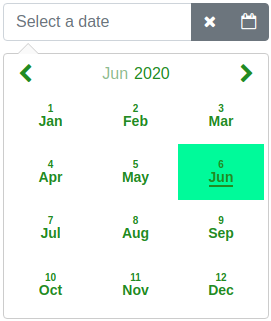
| monthSelector | true | boolean | If true and if month label is selected opens a selector of months. |
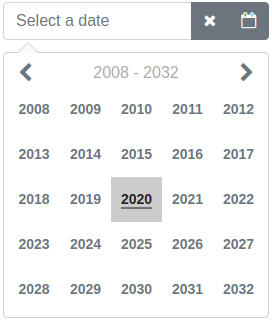
| yearSelector | true | boolean | If true and if year label is selected opens a selector of years. |
| disableHeaderButtons | true | boolean | Prevent to change the calendar view with header buttons if previous or next month are fully disabled by the disableUntil or the disableSince options. |
| showWeekNumbers | false | boolean | Are week numbers visible or not on calendar. Can be used if firstDayOfWeek = mo. |
| selectorHeight | 266px | string | Selector height. |
| selectorWidth | 266px | string | Selector width. |
| disableUntil | no default value | IMyDate | Disable dates backward starting from the given date. For example: {year: 2019, month: 6, day: 26}. To reset the existing disableUntil value set: {year: 0, month: 0, day: 0} |
| disableSince | no default value | IMyDate | Disable dates forward starting from the given date. For example: {year: 2019, month: 7, day: 22}. To reset the existing disableSince value set: {year: 0, month: 0, day: 0} |
| disableDates | no default value | Array<IMyDate> or Array<IMyDisabledDates> |
Disable dates one by one. Array of disabled dates. For example: [{year: 2019, month: 11, day: 14}, {year: 2019, month: 1, day: 15}]. Or it is possible to disable dates by setting own style to td element. For example: [{dates: [{year: 2020, month: 5, day: 19}, {year: 2020, month: 5, day: 20}], styleClass: 'yoga'}]. Value of styleClass is name of CSS selector. The definition of the CSS selector have to be added to the stylesData option. For example it is possible add a CSS background-color to definition of this selector. Value of year or month can be zero. If it is zero it affects all years/months. For example disable first day of every month: [{year: 0, month: 0, day: 1}]. To reset existing disableDates value set empty array to it. Here is an example. |
| disableDateRanges | no default value | Array<IMyDateRange> | Disable date ranges. For example: [{begin: {year: 2019, month: 11, day: 14}, end: {year: 2019, month: 11, day: 20}}]. To reset existing value of disableDateRanges set empty array to it. |
| disableWeekends | false | boolean | Disable weekends. (Saturday and Sunday). |
| disableWeekdays | no default value | Array< string > | Disable weekdays. Array of weekdays to disable. Weekdays are same strings as the firstDayOfWeek option. For example: ['tu', 'we'] which disables Tuesdays and Wednesdays. |
| enableDates | no default value | Array<IMyDate> | Enable single dates one by one if the date is disabled. For example if you disable the date range and want to enable some dates in range. Array of enabled days. For example: [{year: 2019, month: 11, day: 14}, {year: 2019, month: 1, day: 15}]. Value of year or month can be zero. If it is zero it affects all years/months. For example enable first day of every month: [{year: 0, month: 0, day: 1}]. To reset existing enableDates value set empty array to it. |
| markDates | no default value | Array<IMyMarkedDates> | Mark dates for different colors or styles. For example: [{dates: [{year: 2019, month: 11, day: 14}, {year: 2019, month: 12, day: 16}], color: '#004198', styleClass: 'karateDates'}, {dates: [{year: 2018, month: 10, day: 1}, {year: 2018, month: 11, day: 4}], color: 'green', styleClass: 'yogaDates'}]. The color property is optional. If it is given it adds a triangle to the upper left corner of the date. The styleClass is optional. If it is given it changes the style of the td element of the date. Value of the styleClass is a CSS selector name. The definition of the CSS selector have to be added to the stylesData option. For example it is possible add a CSS background-color to definition of this selector. Both color and styleClass can be used at the same time. Here is an example. Value of year or month can be zero. If it is zero it affects all years/months. To reset existing value of markDates set empty array to it. |
| markWeekends | no default value | IMyMarkedDate | Mark weekends (Saturday and Sunday). For example: {marked: true, color: 'red'}. Value of color can be any CSS color code. To reset existing value of markWeekends set: {marked: false, color: ''} |
| alignSelectorRight | false | boolean | Align selector right. |
| openSelectorTopOfInput | false | boolean | Open selector top of input field. |
| closeSelectorOnDateSelect | true | boolean | Is selector closed or not on a date select. |
| closeSelectorOnDocumentClick | true | boolean | Is selector closed or not on a document click. |
| minYear | 1000 | number | Minimum allowed year in calendar. Cannot be less than 1000. |
| maxYear | 9999 | number | Maximum allowed year in calendar. Cannot be more than 9999. |
| showSelectorArrow | true | boolean | Is selector (calendar) arrow shown or not. |
| appendSelectorToBody | false | boolean | Is selector (calendar) appended to body element or not. |
| focusInputOnDateSelect | true | boolean | Is the input box focused after a date select. |