README

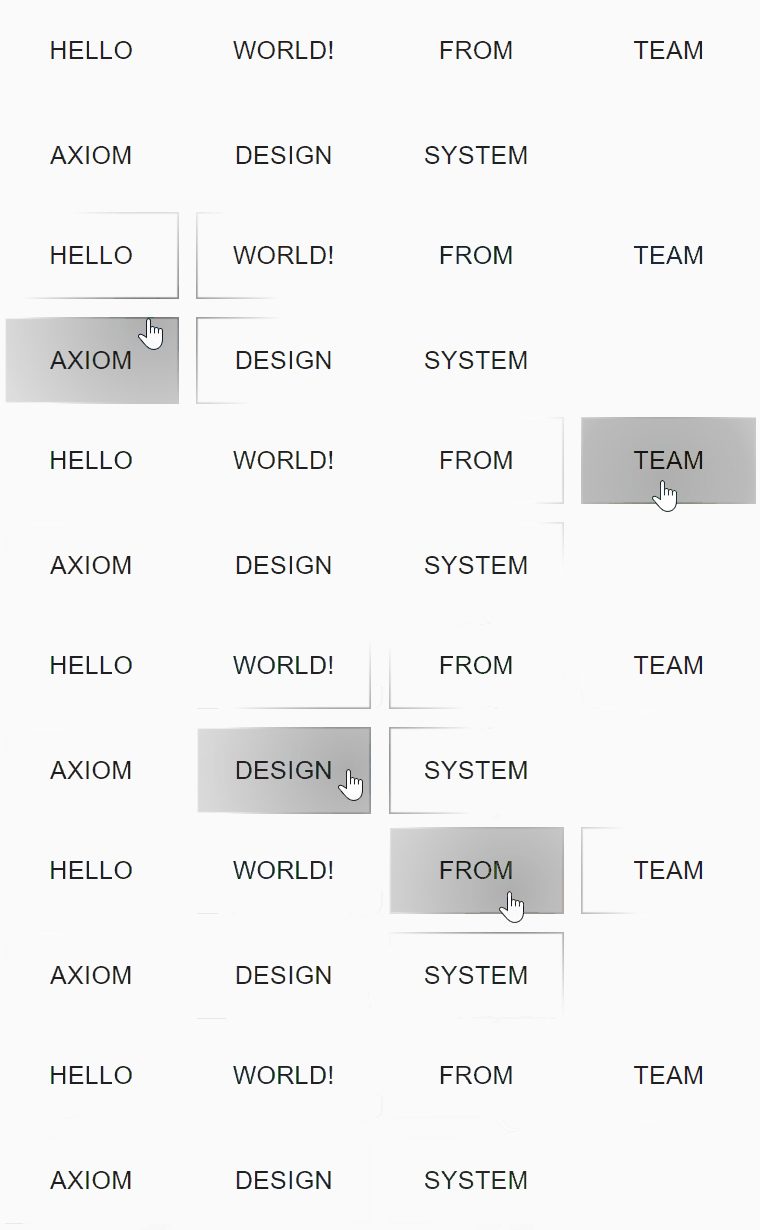
React component that implements Reveal Highlight of Axiom Design System.





Installation
// with npm
npm install @ax-design/reveal-highlight

// with yarn
yarn add @ax-design/reveal-highlight
and import it:
//CommonJS
require('@ax-design/reveal-highlight').register();

//ESModule
import { register } from '@ax-design/reveal-highlight';
register();
Usage
To add a reveal effect on your web application, you need to wrap a ax-reveal component with ax-reveal-provider and ax-reveal-bound.
ax-reveal-provider will manage the global reveal style, and cache the rendered highlight bitmap for better performance (WIP).
ax-reveal-bound will manage the rendering behavior of ax-reveal components, while your mouse enters the boundary, the highlight components will get started to rendering, while your mouse leaves the boundary component, all highlight effect will disappear.
Here's an example:
<ax-reveal-provider>
  <h1>Welcome to project Axiom!</h1>
  <ax-reveal-bound>
    <ax-reveal>
      <button class="ax-reveal-button">Button 1</button>
    </ax-reveal>
    <ax-reveal>
      <button class="ax-reveal-button">Button 2</button>
    </ax-reveal>
  </ax-reveal-bound>
<ax-reveal-provider>
Style Controlling
reveal-highlight use custom properties to manage the style of highlights
Overall control
--reveal-color
Type: <color>
Default: rgb(0, 0, 0)
Description: The color of the reveal highlight, could RGB value or hex value.
--reveal-diffuse
Type: <boolean>
Default: true
Description: Control the behavior while pointer not in the reveal highlight element, if setted to false, nothing will be rendered; if setted to true, border will be rendered.
Border
--reveal-border-color
Type: <color>
Default: rgb(-1, -1, -1)
Description: The color of the hover light.
Magic Number: If the value equals to rgb(-1, -1, -1), the value of --reveal-color. It looks weired, but it is constrained by the CSS Typed OM specification.
--reveal-border-fill-radius
Type: <number>
Default: 1.5
Description: Radius of the border gradient, please notice that this value is a number but not length.
--reveal-border-width
Type: <number>
Default: 1
Description: Border width in px.
--reveal-border-decoration-type
Type: 'miter' | 'round' | bevel
Default: miter
Description: The shape of border radius, the same as possible values of lineJoin, checkout this document.
--reveal-border-decoration-radius
Type: <length>
Default: 4px
Description: The radius of border radius, if --reveal-border-decoration-type is miter, nothing would happen.
Note: To control each corner, use --reveal-border-decoration-top-left-radius, --reveal-border-decoration-top-right-radius, --reveal-border-decoration-bottom-left-radius, --reveal-border-decoration-bottom-right-radius, if the value of these values are negative, --reveal-border-decoration-radius would be used.
--reveal-border-style
Type: 'full' | 'half'
Default: 'full'
Description: If full provided, there'll be four sides of the element will have a light effect, if half provided, only the top and bottom side will have a light effect.
Hover light
Hover light is the light effect shown up when you hover on the reveal element, it will fill the whole element.
--reveal-hover-light
Type: <boolean>
Default: true
Description: Enable the hover light or not.
--reveal-hover-light-color
Type: <color>
Default: rgb(-1, -1, -1)
Description: The color of the hover light.
Magic Number: If the value equals to rgb(-1, -1, -1), the value of --reveal-color.
--reveal-hover-light-fill-radius
Type: <number>
Default: 1.5
Description: Radius of the highlight gradient, please notice that this value is a number but not length.
--reveal-hover-light-fill-radius-mode
Type: 'relative' | 'absolute'
Default: relative
Description: How the program calculating the radius of gradient, if relative provided, gradient radius will be:
r(border) = min(width, height) * fillRadiusr(fill) = max(width, height) * fillRadius
If absolute provided, gradient will be:
r(border) = fillRadiusr(fill) = fillRadius
the unit is pixel.
Animation
When you pressed on the reveal highlight element, a ripple will show up.
--reveal-press-animation
Type: <boolean>
Default: true
Description: Enable the pressed animation or not.
--reveal-press-animation-color
Type: <color>
Default: rgb(-1, -1, -1)
Description: The color of the hover light, could be rgb value or hex.
Magic Number: If the value equals to rgb(-1, -1, -1), the value of --reveal-color.
--reveal-press-animation-fill-mode
Type: 'cover' | 'constrained'
Default: cover
Description: The filling mode of pressed animation, when using cover, the radius of pressed animation would be max(width, height), when using constrained, it would be the radius of the hover light.
--reveal-press-animation-speed
Type: <number>
Default: 2000
Description: The duration of the animation being played when the mouse is held down by the element.
--reveal-release-animation-accelerate-rate
Type: <number>
Default: 6
Description: The acceleration rate of the animation when the mouse is released.