README
A tool to browse and search a constantly updated local copy of the entire Arch Wiki on the command line using man.
Screenshot

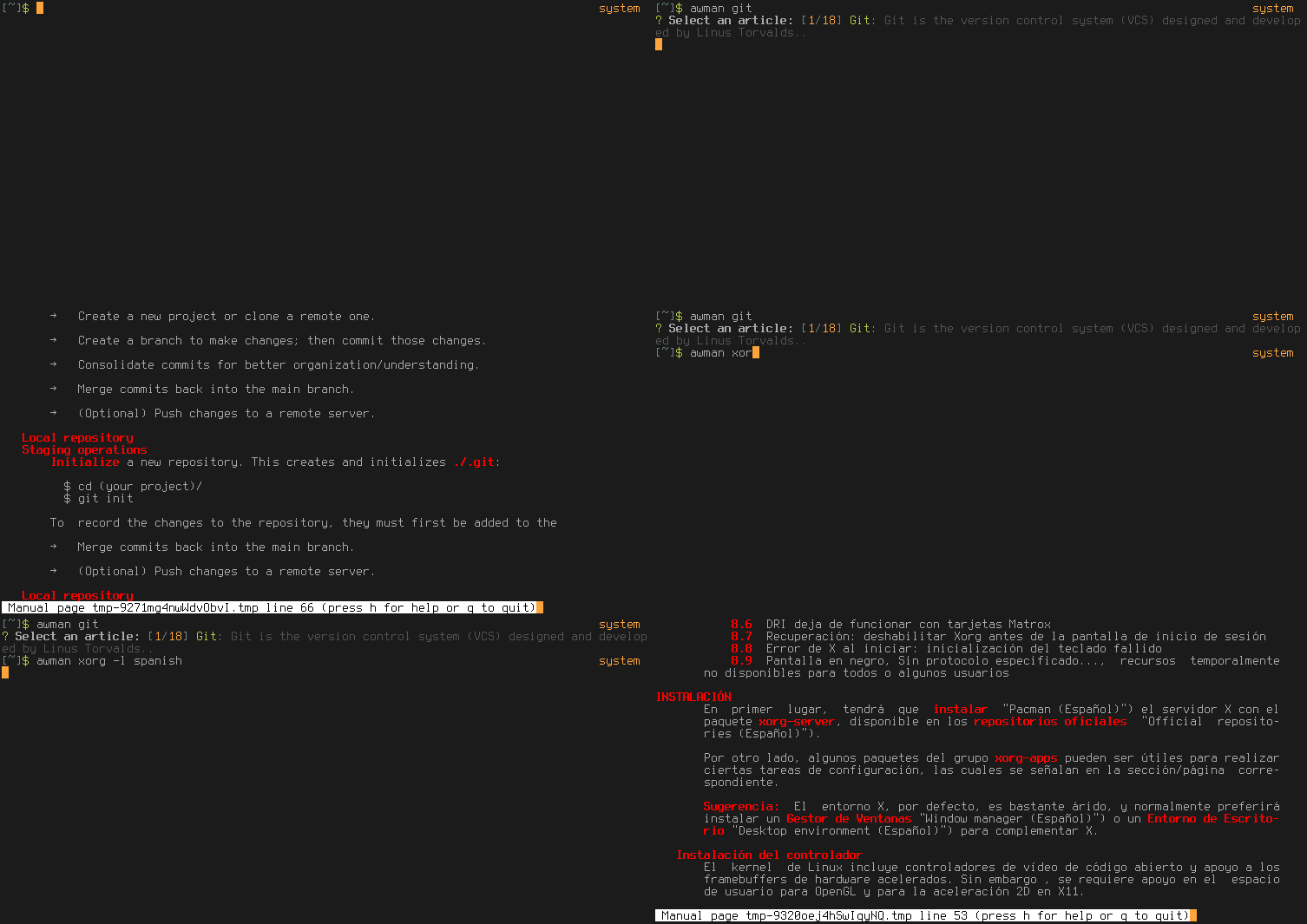
With colors (this depends on your own configuration) and showing off language support:
Installation
npm install -g arch-wiki-man
Or install it through the AUR. For example, using yaourt:
yaourt -S arch-wiki-man
Update with awman-update
Updates are pushed automatically every two days to https://github.com/greg-js/arch-wiki-md-repo, a dependency for this project.
Fetch all changes with the awman-update script:
awman-update
Even when there are no new changes since the last update, running awman-update will actually reinstall the underlying repo, so you can use it in case something somehow goes wrong.
Update by reinstalling the package
awman-update is faster and more convenient, but you can also get the latest changes simply by reinstalling this global package:
npm install -g arch-wiki-man   # for npm users
yaourt -S arch-wiki-man        # for AUR users (yaourt is just an example, use any helper you want)
Usage & Examples
Basic
awman beginners guide
Just one match for beginners guide so the article will open with man. By the way, awman stands for arch wiki man.
Multiple matches
awman guide
There are multiple matches for guide so a selection menu will be displayed. Use the arrow keys or vim-style keybindings (j/k) to select the one to read.
Search in descriptions
awman -d i3
The -d or --desc-search option causes searches to scan both the titles and the descriptions for a match.
Apropos
awman -k wayland
The familiar -k or --apropos option causes searches to scan the contents for a match as well. It's worth noting that this option makes searches run significantly slower.
Open in a browser
awman -w tmux
The -w or --web option opens the resulting match in a web browser rather than with man. It uses xdg-open to open the relevant url in your default browser.

(sorry for the bad resolution in this screenshot)
Search in other languages
awman -l spanish openbox
The default is English and you can get a list of available language options with awman --list-languages. For now though, only the articles that are hosted on the same domain as the English Arch Wiki have been added to the database.
If your search fails to find any results, awman will automatically fall back to an English-language search.
Cancel searches
Simply do a ctrl-c to exit the selection menu without entering man. To exit man, press q.
License
Licensed under GPLv3