README
display-shortcuts
Displays a list of keyboard shortcuts you can use on the command line and their descriptions in your terminal.
Install
$ npm install --global display-shortcuts
Usage
❯ display-shortcuts
Displays this:
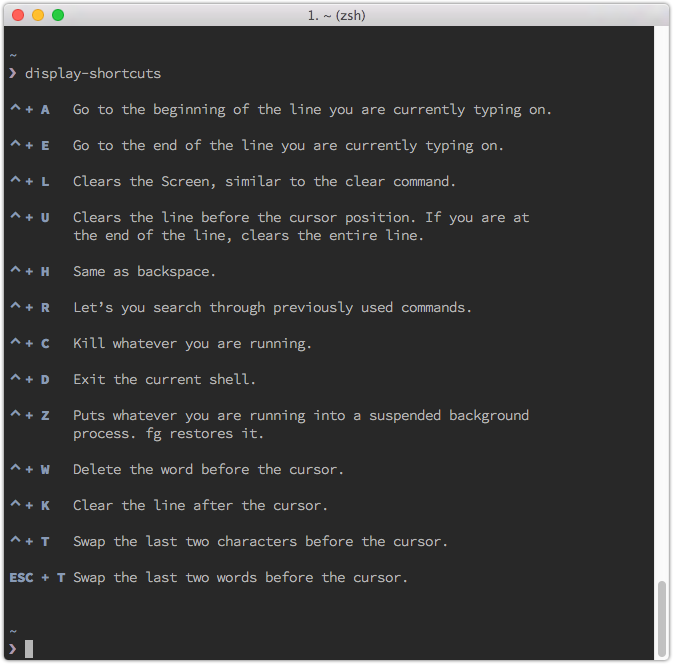
These shortcuts should all work on Mac in Terminal and zsh without any configuration.
Extend
To extend the existing shortcuts simply create ~/.display-shortcuts/shortcuts.json containing your missing shortcuts.
[
  { "shortcut": "description" }
]
License
MIT © Kahlil Lechelt