README
Emoji panel



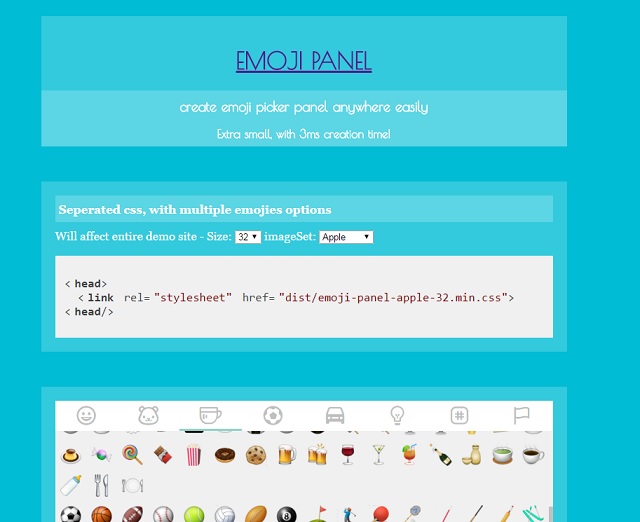
Blazing fast emoji panel (3ms creation)
Create an emoji panel by one line, no akward dependencies, no frameworks using the data from emoji-data.
Demo
Installation
Install the package either by using npm install emoji-panel or bower install emoji-panel.
Usage
- for npm users you need to import first -
// es5
var EmojiPanel = require('emoji-panel');
// es6
import EmojiPanel from 'emoji-panel';
- Create
new EmojiPanel(element, [options])
- Params
| Name | Type | isRequired | Description |
|---|---|---|---|
| element | Object (node element) | :o: | Node element to create the panel into (preferbly a block) |
| options | Object | :x: | Some added options that can be passed at creation |
- Options
| Name | Type | Default | Description |
|---|---|---|---|
| onClick | Function | Callback of clicking an emoji, will return object with index (of the emoji-data array), and unified |
|
| animationDuration | Number | 300 | Duration in ms of the animation between categories |
- Example
new EmojiPanel(document.getElementById('emoji-panel-container'), {
  onClick: function(emoji) {
    alert(emoji.unified);
  }
});
Development
Clone the repo
npm startfor development server, serving onlocalhost:8080.
All changes will trigger hot reload, though absurd files will not and you will need to stop and start the serverAfter making a few commits you can deploy and make sure you don't have any uncommited changes beforehand -
just runnpm run deploywhich does -- Creates
lib(for npm) anddist(for bower) folders. - bumps
package.jsonandbower.json(bynpm run patch). - Commits these changes
- Create a git tag
- Merge to
gh-pagesbranch (demo site) - push tags
- npm publish (bower publishes or git changes)
- push changes
If you want to bump not by patch, you can set enviroment variable BUMP like so -
BUMP=major npm run deploy. read more about npm version here- Creates