README
JSON Diff Kit


A better JSON differ & viewer.
Notice: considering most of the browsers now support ES6, this library has only the ES6 version. If you need the compatibility with older browsers, please configure the compiler in your project (e.g. add this library to the
includefield inbabel.config.js).
Install
You can install json-diff-kit via various package managers.
# using npm
npm i json-diff-kit --save

# using yarn
yarn add json-diff-kit

# using pnpm
pnpm add json-diff-kit
Quick Start
To generate the diff data:
import { Differ } from 'json-diff-kit';

const before = {
  a: 1,
  b: 2,
  d: [1, 5, 4],
  e: ['1', 2, { f: 3, g: null, h: [5], i: [] }, 9],
};
const after = {
  b: 2,
  c: 3,
  d: [1, 3, 4, 6],
  e: ['1', 2, 3, { f: 4, g: false, i: [7, 8] }, 10],
};

// all configs are optional
const differ = new Differ({
  detectCircular: true,    // default `true`
  maxDepth: Infinity,      // default `Infinity`
  showModifications: true, // default `true`
  arrayDiffMethod: 'lcs',  // default `"normal"`
});

const diff = differ.diff(before, after);
console.log(diff);
You can use your own component to visualize the diff data, or use the built-in viewer:
import { Viewer } from 'json-diff-kit';
import type { DiffResult } from 'json-diff-kit';

import 'json-diff-kit/dist/viewer.css';

interface PageProps {
  diff: [DiffResult[], DiffResult[]];
}

const Page: React.FC<PageProps> = props => {
  return (
    <Viewer
      diff={props.diff}  // required
      indent={4}         // default `2`
      lineNumbers={true} // default `false`
    />
  );
};
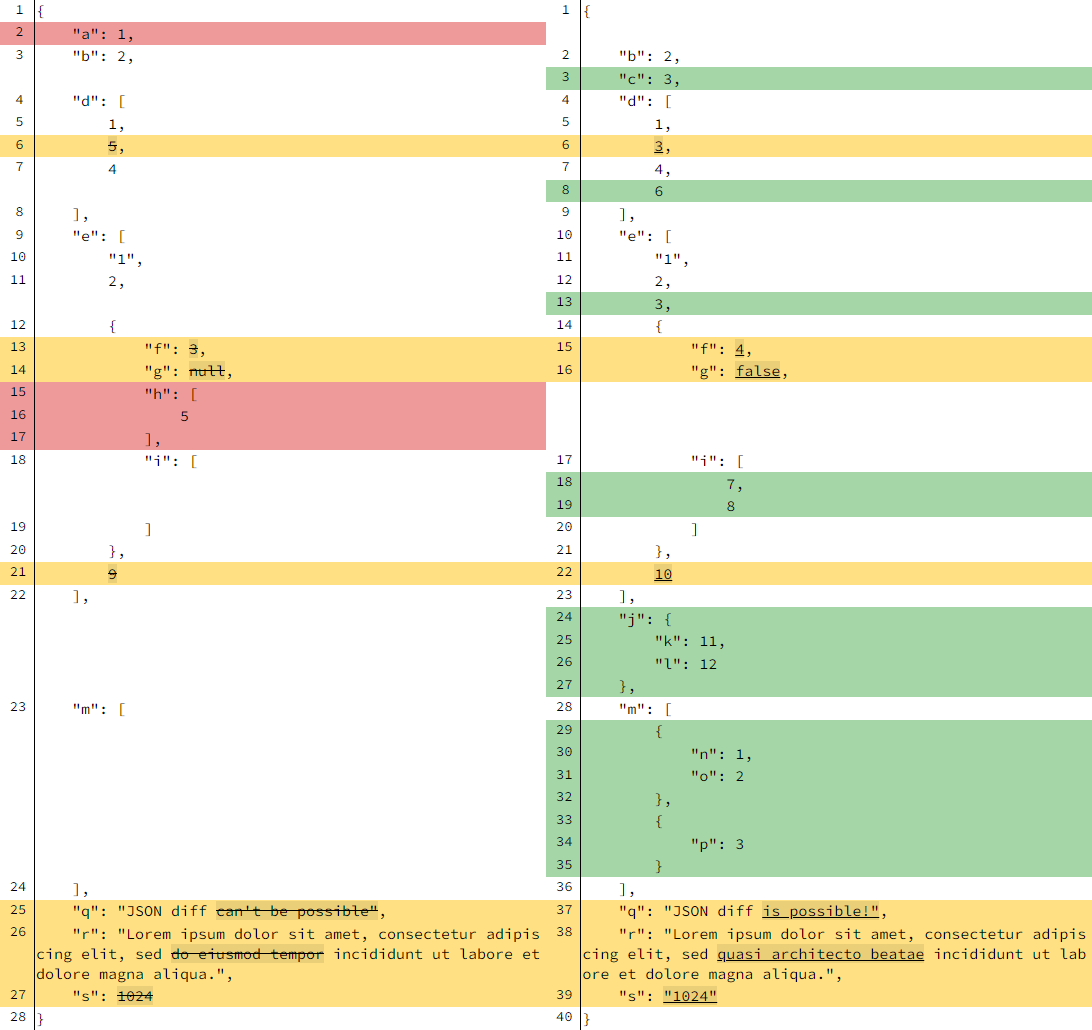
The result is here:
More Complex Usages
Please check the demo pages.
License
MIT