README


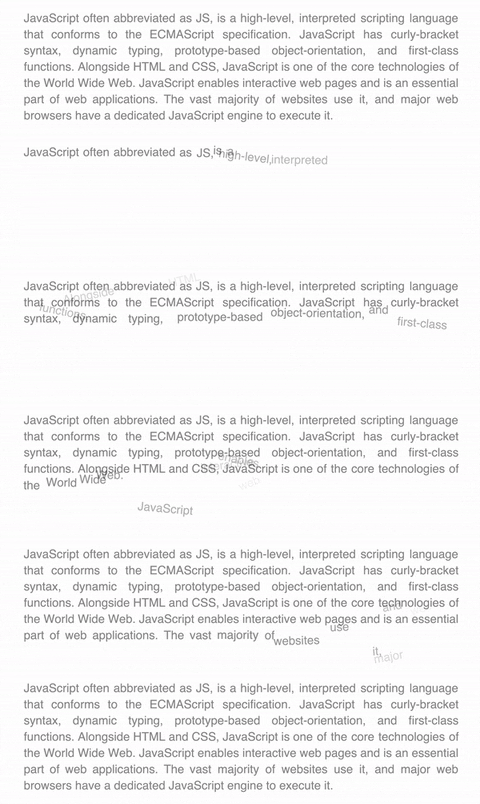
NG-GX-SPLIT-TEXT - This is an Angular utility to split text into words, lines or chars for subsequent animations.
You can familiarize yourself with the demo version here - DEMO
Versions
| Angular | ng-gx-split-text |
|---|---|
| >=8.0.0 <9.0.0 | v0.0.x |
Features
- Split into chars
- Split into words
- Split into line-chars
- Split into line-words
- Defer init
Getting started
Step 1: Install ng-gx-split-text (npm):
npm install ng-gx-split-text
Step 2: Import NgGxSplitTextModule:
import { NgGxSplitTextModule } from 'ng-gx-split-text';

@NgModule({
  declarations: [
    AppComponent,
  ],
  imports: [
    NgGxSplitTextModule,
  ],
  bootstrap: [AppComponent]
})
export class AppModule {}
Step 3: Add directive to HTML node you want to split and template ID to reference this Directive in Component (example: #text):
<p #text ngGxSplitText>Lorem ipsum dolor sit amet, consectetur adipisicing elit. Accusamus amet consequuntur culpa
  delectus, doloribus exercitationem ipsam, laudantium molestiae non numquam odit omnis optio praesentium quae ratione
  similique sit soluta voluptatem?</p>
Step 4: Add @ViewChild to access node words, lines and chars by previously assigned ID:
@ViewChild('text', { static: true, read: NgGxSplitTextDirective }) text: NgGxSplitTextDirective;
Step 5: Work with split text using @ViewChild (Example for GSAP):
export class AppComponent implements AfterViewInit {

  @ViewChild('text', {static: true, read: NgGxSplitTextDirective}) text: NgGxSplitTextDirective;

  tlText = new TimelineMax();

  constructor() {}

 ngAfterViewInit(): void {
    this.textAnimation();
  }

  textAnimation() {
    this.tlText
      .to(this.text.words, 0.5, {
        opacity: 0,
      })
      .staggerFromTo(this.text.words, 0.5, {
        opacity: 0,
        x: () => {
          return _.random(-100, 100);
        },
        y: () => {
          return _.random(-100, 100);
        },
        rotation: () => {
          return _.random(-25, 25);
        },
        immediateRender: false,
      }, {
        opacity: 1,
        x: 0,
        y: 0,
        rotation: 0,
      }, 0.03);
  }
}
DEMO
API
Directives
| Name | Description |
|---|---|
| NgGxSplitText | Split your text (all options is default) |
| [splitOptions] | Split your text (custom options) |
Options
| Name | Type | Default | Description |
|---|---|---|---|
| defer | boolean |
false |
Defer initiation (for manual initiation use initSplit()) |
| mask | boolean |
false |
Add mask/wrap (overflow: hidden) for words |
| onlyWords | boolean |
false |
Split only words without chars |
Example:
<p #text ngGxSplitText>Lorem ipsum dolor...</p> // Default options
<p #text ngGxSplitText [splitOptions]="{defer: true, ...}">Lorem ipsum dolor...</p> // Custom options
Properties
| Name | Type | Description |
|---|---|---|
| isInit | boolean |
Is Split Text applied |
| nativeElement | HTMLElement |
Container HTMLElement |
| words | HTMLElement[] |
Words HTMLElement array |
| chars | HTMLElement[] |
Chars HTMLElement array |
| line-words | HTMLElement[][] |
Line array with words HTMLElement array |
| line-chars | HTMLElement[][] |
Line array with chars HTMLElement array |
Example:
this.text.isInit // console.log(true);
this.text.srcText // console.log(Lorem ipsum dolor...);
Methods
| Name | Description |
|---|---|
| initSplit() | Initialize Split Text (For using in case defer: true) |
| resetSplit() | Reset to source text |
Example:
ngAfterViewInit(): void {
    // if Split Text already initialized (defer: false)
    this.text.initSplit(); // Return WARNING! Text already initialized

    // if Split Text not initialized (defer: true)
    this.text.initSplit(); // It's OK!
  }