README
open-sourcetree-in-vscode-plugin
在vscode中的资源管理器中,直接右键可以打开sourcetree, 并加载当前git源码树到sourcetree
使用方法
先定位sourcetree的安装目录

之后将此目录D:\文档\open-sourcetree-in-vscode-plugin加载到系统环境变量中。
调用sourcetree
vscode中的资源管理器
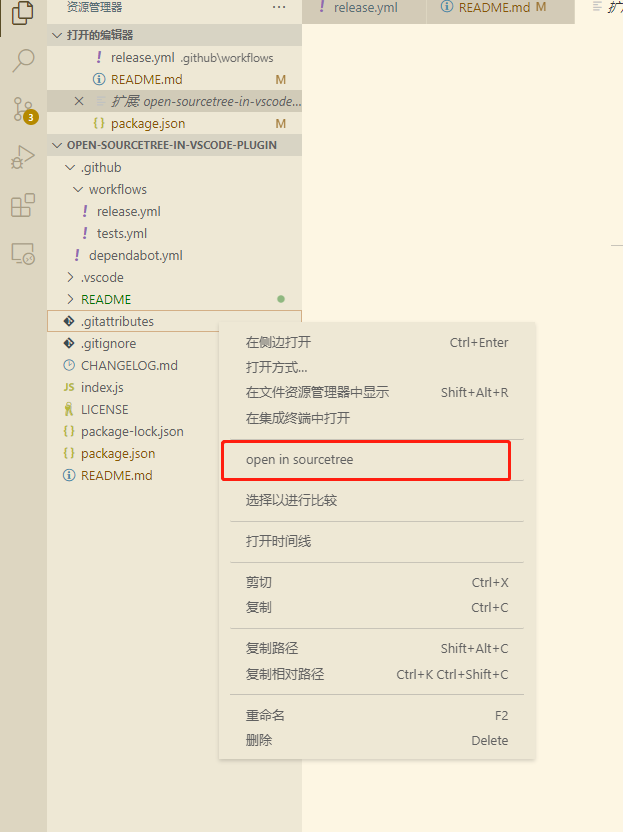
现在将直接在sourcetree中打开此源码仓库
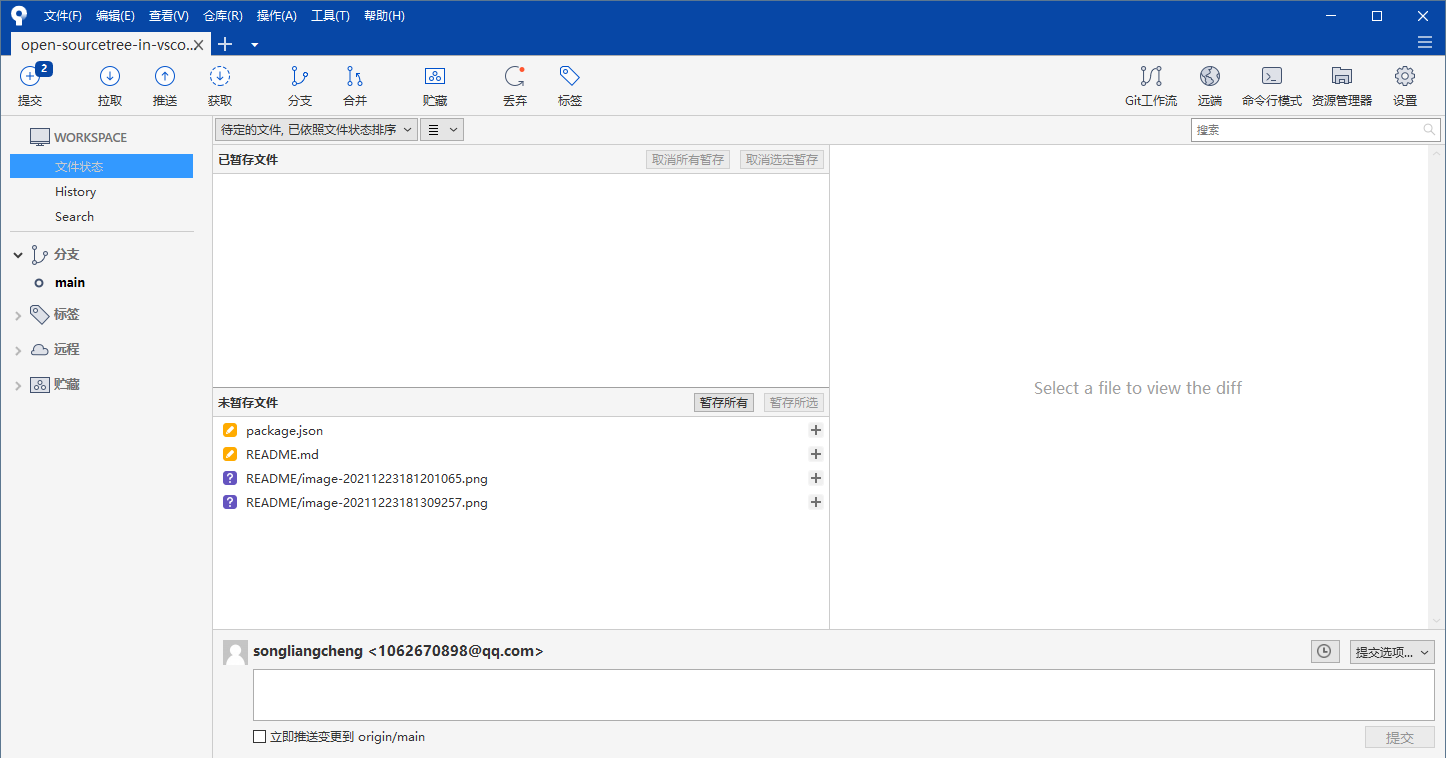
在vscode中的资源管理器中,直接右键可以打开sourcetree, 并加载当前git源码树到sourcetree
<script type="module">
  import openSourcetreeInVscodePlugin from 'https://cdn.skypack.dev/open-sourcetree-in-vscode-plugin';
</script>在vscode中的资源管理器中,直接右键可以打开sourcetree, 并加载当前git源码树到sourcetree
先定位sourcetree的安装目录
之后将此目录D:\文档\open-sourcetree-in-vscode-plugin加载到系统环境变量中。
vscode中的资源管理器
现在将直接在sourcetree中打开此源码仓库