README
######################## Author - "Deep Prakash" ########################
React DateTime Calendar
Multifunctional DateTimePicker
Install
npm install react-datetime-calendar --save
Usage
var DateTimePicker = require("react-datetime-calendar");

React.render(<DateTimePicker />, document.getElementById("myApp"));
Theme
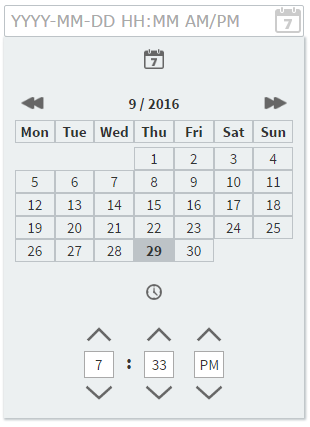
1. Classic
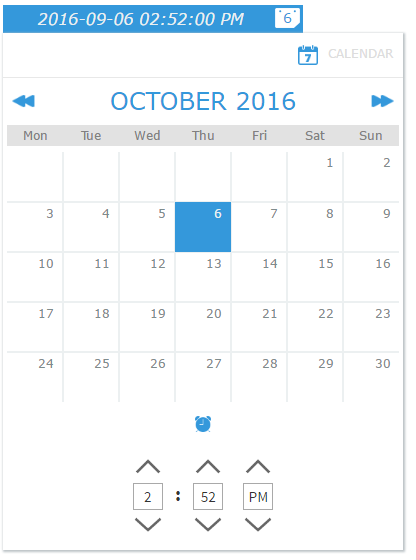
2. Window
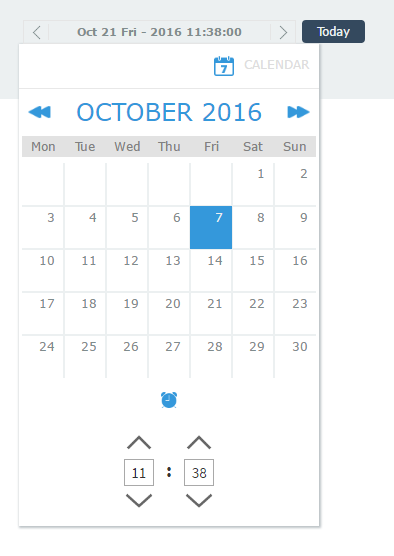
3. Cubito
Options
- mode
- onUpdate
- background
- dateFormat
- timeFormat
- width
- theme
Descriptions
mode - Select the mode of your calendar from - time/date/datetime.
 ```
 <DateTimePicker mode = "datetime"/>
 ```
onUpdate - Get the value selected into a function
 ```
 <DateTimePicker onUpdate={this.getValue}/>
 ```

 ```
 getValue:function(value){
     console.log(value);

     /*
     * value is the select datetime value
     */
 }
 ```
background - Set the background color of the calendar.
 ```
 <DateTimePicker background = "white"/>
 ```
dateFormat - Allowed Values :- YYYY-MM-DD / DD-MM-YYYY / YYYY/MM/DD / DD/MM/YYYY / MONTH DATE YEAR / DATE MONTH YEAR / MONTH DATE DAY - YEAR
 ```
 <DateTimePicker dateFormat = "MONTH DATE DAY - YEAR"/>
 ```
timeFormat - Allowed Values :- 12 / 24
 ```
 <DateTimePicker timeFormat = "12"/>
 ```
width - Allow you to control the width of input box and calendar size. Allowed value :- Integer
 ```
 <DateTimePicker width='400' />
 ```
theme - Allow you to choose from multiple themes. Allowed Values :- classic/window/cubito
 ```
 <DateTimePicker theme='window' />
 ```