README
react-native-animated-pie
Animated Pie chart for React Native,use ART and Animated
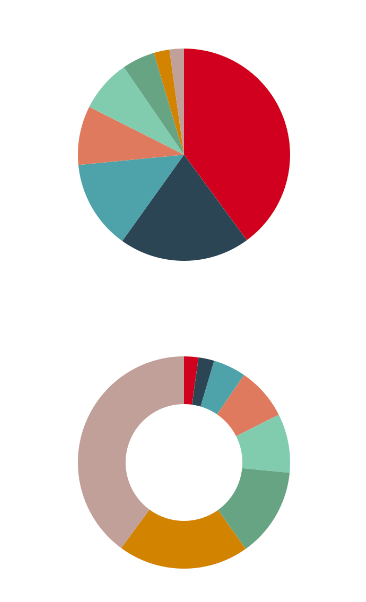
Demo
Install
npm i --save react-native-animated-pie- Link the ART library to your ReactNative project (how to link a library). You'll find the React ART library in
node_modules/react-native/Libraries/ART/ART.xcodeproj
Usage
// @flow
import * as React from "react";
import { ScrollView, Easing } from "react-native";

import Pie from "react-native-animated-pie";

export default class PieExample extends React.Component<any> {
  render() {
    const series = [40, 12, 68, 100, 25, 45, 200, 11];
    const delay = 0;
    return (
      <ScrollView>
        <Pie
          series={series.map(d => d).sort((a, b) => b - a)}
          height={380}
          outerRadius={100}
          easing={Easing.linear}
          delay={delay}
        />
        <Pie
          series={series.map(d => d).sort((a, b) => a - b)}
          outerRadius={100}
          height={200}
          innerRadius={55}
          delay={delay + 1000}
          easing={Easing.circle}
        />
      </ScrollView>
    );
  }
}
Props
series: Array<number | string> dataset, required
width?: number default window width
height?: number default width
outerRadius?: number default width / 2
innerRadius?: number default 0
x?: number coordinate of pie center, default width / 2
y?: number coordinate of pie center, default height / 2
colors?: Array<string> colors, check src/constants.js for default colors
delay?: number animation delay, default 0ms
animate?: boolean animation or not, default true
duration?: number animation duration, default 1000ms
easing?: Function easing func, default Easing.out(Easing.cubic)
License
MIT