React-Phone-Input-labelled
react-phone-input-2 with Material-UI 'like' label
Highly customizable phone input component with auto formatting.
Original look
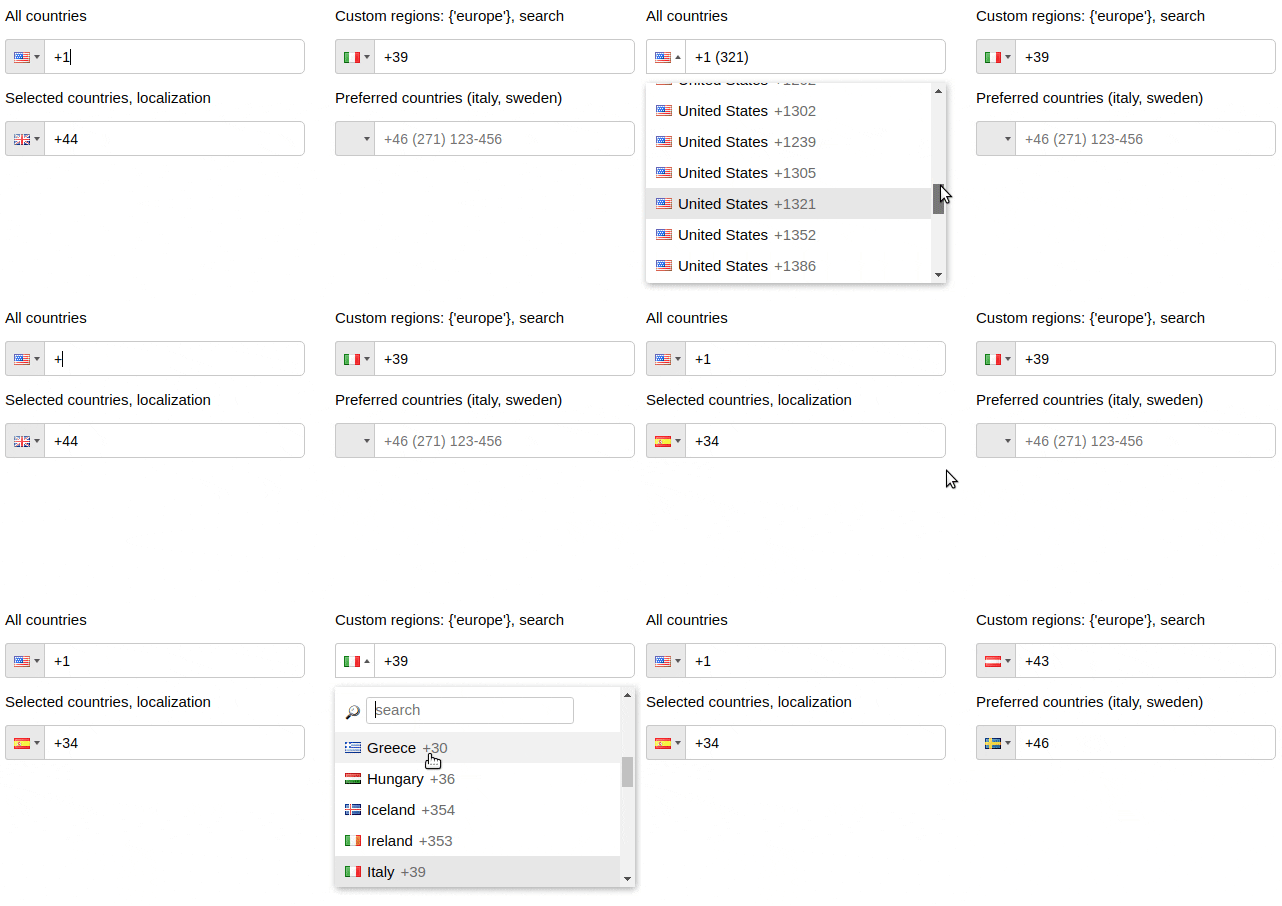
With a Material-UI TextField look:

Installation
npm install react-phone-input-labelled --save
Usage
import PhoneInput from "react-phone-input-labelled";
import "react-phone-input-labelled/dist/style.css";

<PhoneInput
  defaultCountry={"us"}
  value={this.state.phone}
  onChange={handleOnChange}
/>;
handleOnChange(value) {
  this.setState({ phone: value })
}
Options
| Name |
Type |
Description |
Example |
| excludeCountries |
array |
array of country codes to be excluded |
['cu','cw','kz'] |
| onlyCountries |
array |
country codes to be included |
['cu','cw','kz'] |
| preferredCountries |
array |
country codes to be at the top |
['cu','cw','kz'] |
| defaultCountry |
string |
initial country |
'us' |
| value |
string |
input state value |
| label |
string |
input label name |
| placeholder |
string |
custom placeholder |
| searchPlaceholder |
string |
custom search placeholder |
| inputExtraProps |
object |
props to pass into the input |
| Booleans |
Default |
Description |
| disableAreaCodes |
false |
disable local codes for all countries |
| autoFormat |
true |
on/off phone formatting |
| disabled |
false |
disable input and dropdown |
| disableDropdown |
false |
disable dropdown only |
| disableCountryCode |
false |
|
| enableLongNumbers |
false |
|
| countryCodeEditable |
true |
|
| enableSearchField |
false |
enable search in the dropdown |
| disableSearchIcon |
false |
hide icon for the search field |
<PhoneInput
  inputExtraProps={{
    name: "phone",
    required: true,
    autoFocus: true
  }}
/>
Contents
Style
| containerClass |
string |
class for container |
| inputClass |
string |
class for input |
| labelClass |
string |
class for label |
| buttonClass |
string |
class for dropdown button |
| dropdownClass |
string |
class for dropdown container |
| searchClass |
string |
class for search field |
| containerStyle |
object |
styles for container |
| inputStyle |
object |
styles for input |
| labelStyle |
object |
styles for label |
| buttonStyle |
object |
styles for dropdown button |
| dropdownStyle |
object |
styles for dropdown container |
| searchStyle |
object |
styles for search field |
Events
| onChange |
onFocus |
onBlur |
onClick |
onKeyDown |
Country data object does not return from onKeyDown event
| Data |
Type |
Description |
| value/event |
string/object |
event or the phone number |
| country data |
object |
country object { name, dialCode, countryCode (iso2) } |
Regions
| Name |
Type |
Description |
| regions |
array/string |
to only show codes from selected regions |
| Regions |
| ['america', 'europe', 'asia', 'oceania', 'africa'] |
| Subregions |
| ['north-america', 'south-america', 'central-america', 'carribean', 'european-union', 'ex-ussr', 'middle-east', 'north-africa'] |
Regions selected: {'europe'}
<PhoneInput defaultCountry="it" regions={"europe"} />
Regions selected: {['north-america', 'carribean']}
<PhoneInput defaultCountry="ca" regions={["north-america", "carribean"]} />
Custom area codes
| Name |
Type |
| areaCodes |
object |
<PhoneInput
  onlyCountries={["gr", "fr", "us"]}
  areaCodes={{ gr: ["2694", "2647"], fr: ["369", "463"], us: ["300"] }}
/>
Custom masks
<PhoneInput
  onlyCountries={["fr", "at"]}
  masks={{ fr: "+.. (...) ..-..-..", at: "+.. (....) ...-...." }}
/>
Localization
| Name |
Type |
| localization |
object |
<PhoneInput
  onlyCountries={['de', 'es']}
  localization={{de: 'Deutschland', es: 'España'}}
/>

<PhoneInput
  onlyCountries={['de', 'es']}
  localization={{'Germany': 'Deutschland', 'Spain': 'España'}}
/>
Predefined translations
es, de, ru, fr
import es from "lang/es.json";

<PhoneInput localization={es} />;
Preserve countries order
| Name |
Type |
| preserveOrder |
array |
<PhoneInput
  onlyCountries={["fr", "at"]}
  preserveOrder={["onlyCountries", "preferredCountries"]}
/>
Other props
| renderStringAsFlag |
string |
Guides
Phone without dialCode
handleOnChange(value, data) {
  this.setState({ rawPhone: value.replace(/[^0-9]+/g,'').slice(data.dialCode.length) })
}
Check validity of the phone number
<PhoneInput isValid={v => v === "1"} />
Contributing
Code style changes not allowed
License

Based on react-phone-input-2