README
React Native Mobile Barcode Scanner

A barcode scanner component for React Native built on top of Dynamsoft Mobile Barcode SDK.
What You Should Know


Development Requirements
- Node
- JDK
- Xcode
- Android Studio
Quick Start
Find the
examples/basicfolder and install dependencies viayarnornpm:yarn install # or npm installFor iOS, change the directory to
examples/basic/iosand runpod install.Build and run the demo:
Android: npx react-native run-android

iOS: xcodebuild -workspace basic.xcworkspace -configuration Debug -scheme RNCamera -sdk iphoneos ONLY_ACTIVE_ARCH=YES build
     then cd .. & npx react-native run-ios
Note: Please don't run the application on the simulator because of the camera requirement.
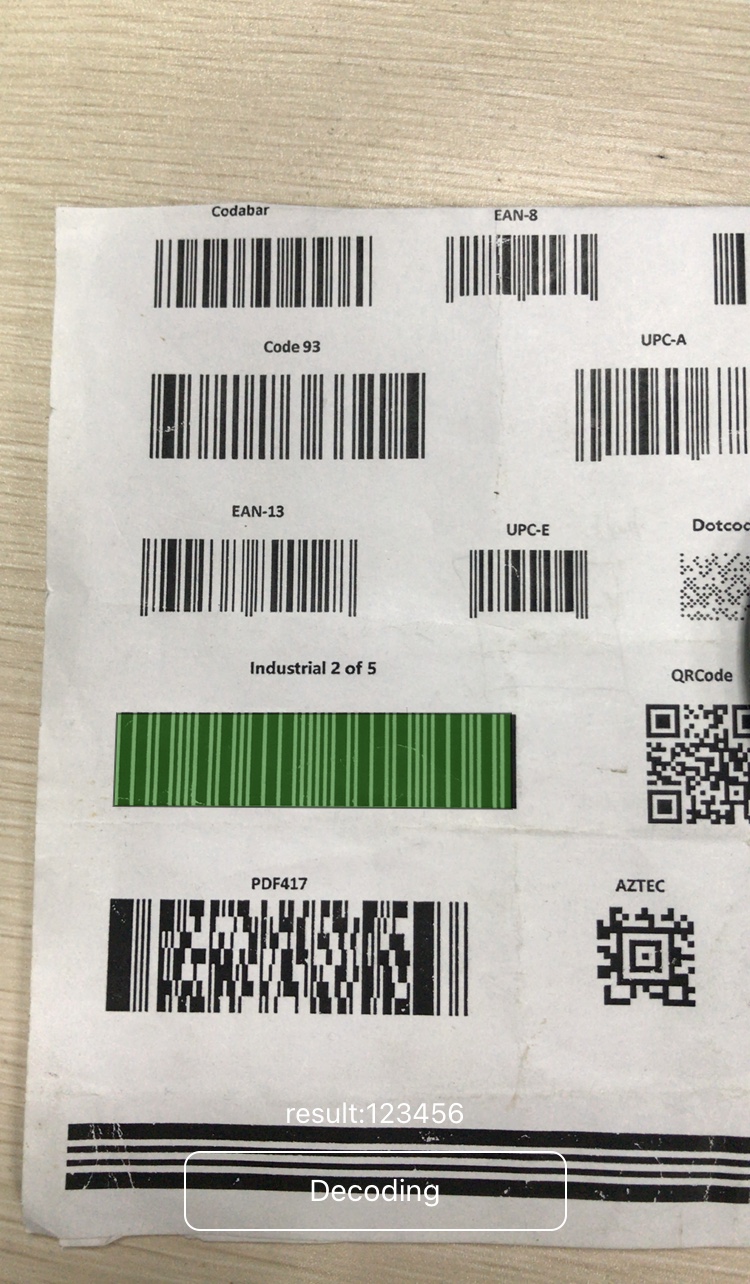
Screenshots
How to Use the Barcode Scanner Module
Create a new React Native project:
npx react-native init NewProjectMostly automatic install with autolinking (RN > 0.60)
1). `npm install rn-mobile-barcode-scanner --save`
2). Run `cd ios && pod install && cd ..`
Mostly automatic install with react-native link (RN < 0.60)
1). `npm install rn-mobile-barcode-scanner --save`
2). `react-native link rn-mobile-barcode-scanner`
Install the latest
rn-mobile-barcode-scannerand save it topackage.json."dependencies": { "react": "17.0.2", "react-native": "0.66.4", "rn-mobile-barcode-scanner": "^8.9.0" },Use the module in
App.js.import { NativeModules } from 'react-native'; import { DBRRNCamera } from 'rn-mobile-barcode-scanner'; import Canvas from 'react-native-canvas'; state = { license: '-- put your license here -- ', barcodeFormat: DBRRNCamera.Constants.DynamsoftBarcodeFormats.BarcodeFormat.ALL, barcodeFormat2: DBRRNCamera.Constants.DynamsoftBarcodeFormats.BarcodeFormat2.NULL, type: 'back', canDetectBarcode: false, barcodes: [{ type: '', data: '', localizationResult: [] }] }; <DBRRNCamera ref={ref => { this.camera = ref; }} style={{ flex: 1, justifyContent: 'space-between', }} type={this.state.type} license={this.state.license} androidCameraPermissionOptions={{ title: 'Permission to use camera', message: 'We need your permission to use your camera', buttonPositive: 'Ok', buttonNegative: 'Cancel', }} onDynamsoftBarcodesReader={canDetectBarcode ? this.barcodeRecognized : null} barcodeFormat={this.state.barcodeFormat} barcodeFormat2={this.state.barcodeFormat2} > <View style={{height:'100%'}}> <View style={{height:'90%'}}> {!!canDetectBarcode && this.renderBarcodes()} </View> <View style={{ flexDirection: 'row', alignSelf: 'center' }}> <TouchableOpacity onPress={this.toggle('canDetectBarcode')} style={[styles.flipButton, { flex: 0.5, alignSelf: 'center' }]} > <Text style={styles.flipText}>{!canDetectBarcode ? 'Decode' : 'Decoding'}</Text> </TouchableOpacity> </View> </View> </DBRRNCamera>
Try Barcode Scanner Demo App


Contact Us
If there are any questions, please feel free to contact support@dynamsoft.com.