README
TSUN - TypeScript Upgraded Node
TSUN, a TypeScript Upgraded Node, supports a REPL and interpreter for TypeScript. When invoked without ts file argument, TSUN works as a repl where you can type in expression. When you pass ts file to TSUN in command line argument, TSUN will automatically run it with invisible compilation.
Feature:
- TS 2.0 support
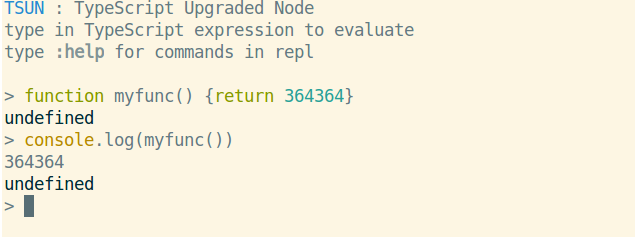
- Keyword highlight
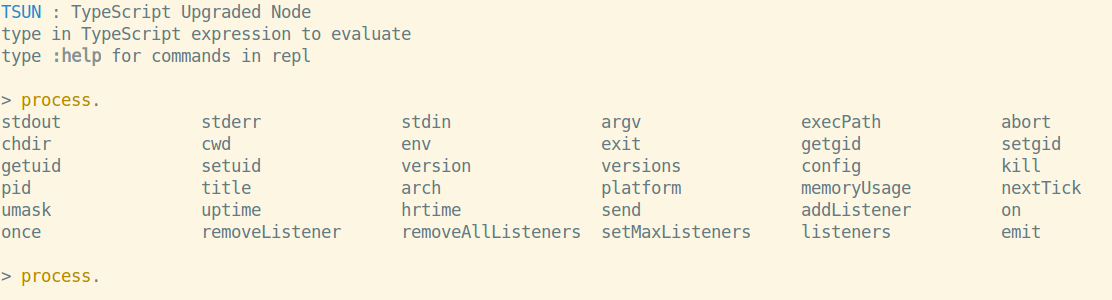
- Tab-completion support
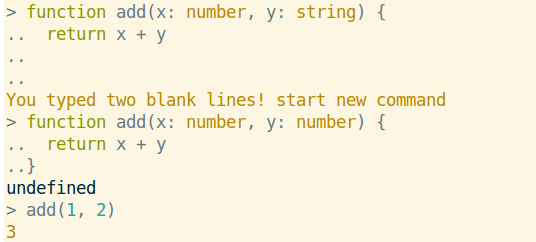
- Multiple Line Mode
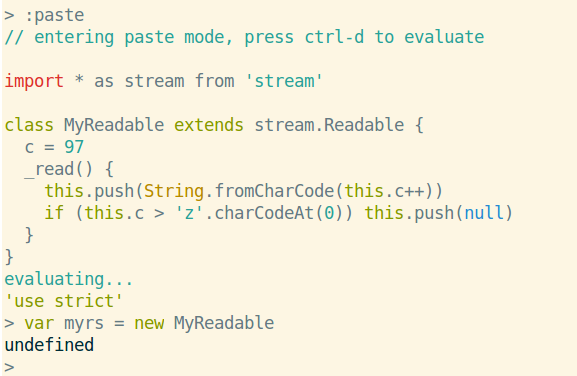
- Paste Mode
- Definition Lookup
- directly execute TypeScript application like
node - Vim-Worksheet support
- And hidden feature for your exploration
Install:
npm install -g tsun
Usage:
- Use it as repl:
tsun - Use it as interpreter:
tsun path/to/app.ts - Other repl command can be accessed by typing
:help - Command Line options can be viewd by passing
-hor--helpoption
Note:
When used as interpreter, tsun will create a temporary directory as output directory and create a node process to execute compiled js.
So it is usually a problem to correctly resolve node_modules path or definition file like *.d.ts.
Currently, tsun make two symbolic links for node_modules and typings directories in temporary directory, conventionally.
TSUN will find the closest tsconfig.json relative to your working directory. You can now compile TypeScript to ES6 in node6+!
Custom definition files and JavaScript library support will be added in next releases.
ScreenShots:
Keyword Highlight
Tab-completion
Multiple Line Editing, typing double blank lines will escape from Multiple line mode
Paste Mode
Definition Lookup
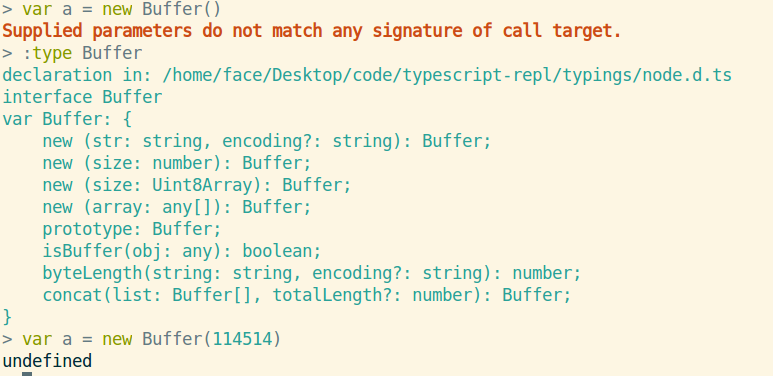
And there is more for your exploration...
TODO:
If you need these, please let me know by making issues!
- Add customization
- Add tsun config. Now tsun will read the closest tsconfig.json relative to the working directory you execute it.